Big change coming in release 2026.11.20, so I have updated Lesson 3 of the Macro Studio Masterclass.
Watch Your Stack Being Built
Some people preferred Helicon Focus over Macro Studio due to the animation that shows the stack being built. While I never understood that as I was happily working on something else while Macro Studio did the work for me in autostack, people seem to like that function, so Ryan added an animation.

Autostack Workflow Improvements
- Select multiple folders (only from the Macro Studio library)
- Select specific images only instead of folders (only from the Marco Studio library)
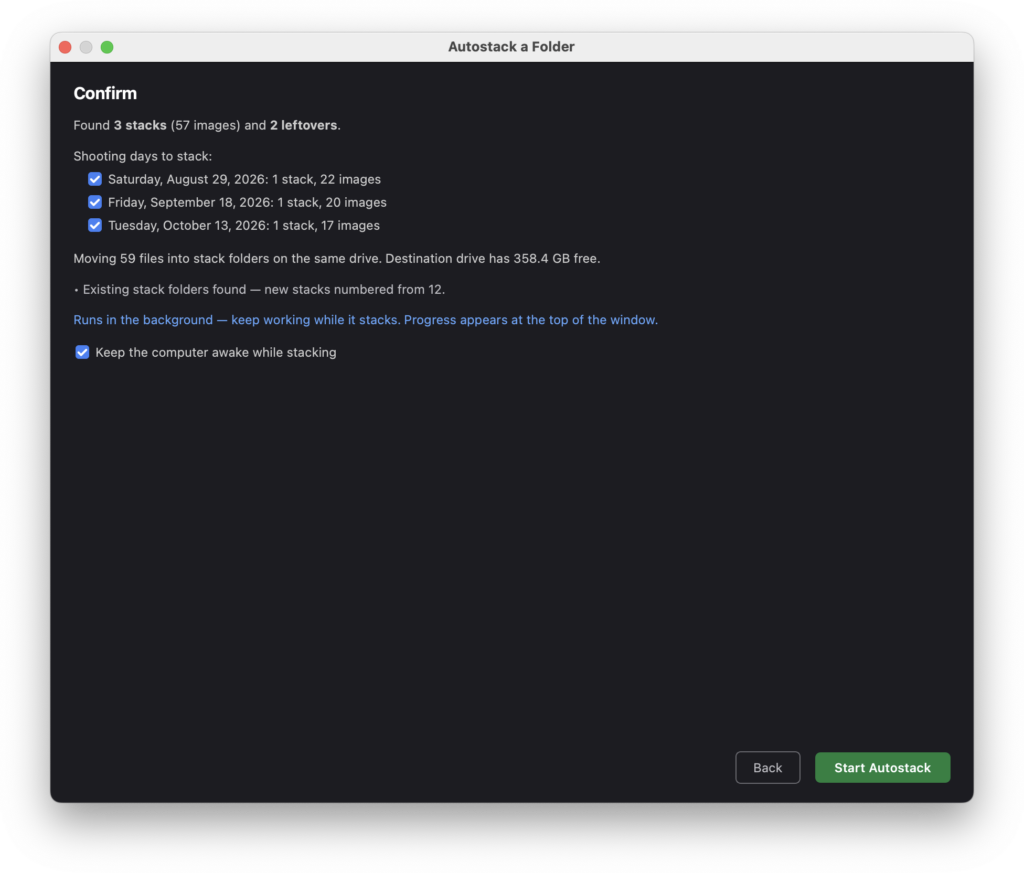
- When autostacking a folder that contains shots from different dates, you can choose to only specific dates (attention – that is done in step 2, after you hit continue)
- Tiff is now a possible output format (I wouldn’t recommend it though)
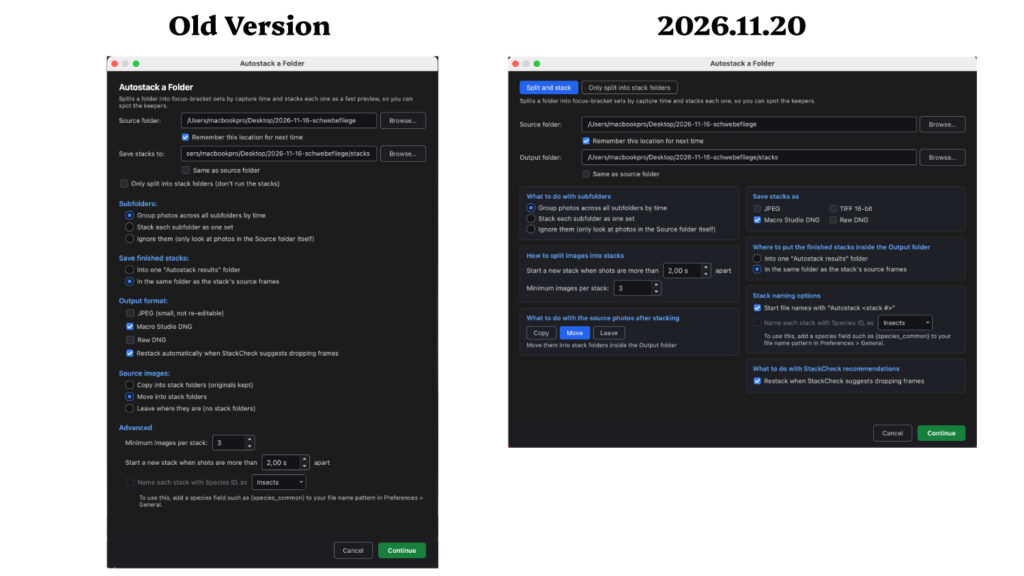
- We now have a new, cleaner Autostack dialog
StackScore Gets More Picky
In the past it was quite easy to max out StackScore and let’s face it – always 100 gets boring over time. Stacks with moving subjects get a lower score from now on. Great for everyone of us who have that sports spirit.
Send Images for Feedback Runs in Background
In the past you had to wait until the images were sent. That’ why some people refrained to use it, particularly in areas with bad reception. Now it runs in the background, so let me recommend to use it more often to help Ryan improve the stacking results more and more.
Several smaller improvements
Check out the exact notes here: Macro Studio release note 2026.11.20
Leave a Reply